Web Hosting Resources: A Comprehensive Guide to Choosing the Right Hosting Plan

Web Hosting Resources – Choosing the right web hosting plan is one of the most critical decisions when building a website. Whether you’re launching a personal blog, a business website, or an online store, your hosting plan affects your site’s performance, security, scalability, and cost. With so many options available, it can be overwhelming to figure out which one is the best fit for your needs.
In this guide, we’ll break down the different types of web hosting, key factors to consider, and tips for selecting the right hosting plan that aligns with your goals. By the end, you’ll have a clear understanding of what to look for when making this important decision.
1. Understanding Web Hosting
Before diving into the various hosting plans, let’s first define what web hosting is. In simple terms, web hosting is a service that allows individuals or organizations to store their website’s files and make them accessible on the internet. A web host provides the infrastructure (servers, data centers, bandwidth) necessary for hosting these files.

When someone visits your website, their browser sends a request to the hosting server, which then serves your website’s files to the visitor’s browser. The better your hosting service, the faster and more reliable your website will be for visitors.
2. Types of Web Hosting Plans
When it comes to web hosting, there are several different types of hosting plans available. Each type is designed for different needs, and the cost can vary greatly depending on the resources required.
Shared Hosting
What it is:
In shared hosting, your website shares a server with other websites. This is the most affordable option and is ideal for small websites or personal blogs.
Pros:
- Low cost (ideal for beginners)
- Easy to use (most hosts offer one-click installs for popular CMSs like WordPress)
- Basic security features and support
Cons:
- Limited resources (CPU, RAM, bandwidth) since it’s shared with other websites
- Performance can be affected by other websites on the server
- Limited scalability
Best For: Small personal blogs, portfolios, or hobby websites with moderate traffic.
VPS Hosting (Virtual Private Server)
What it is:
VPS hosting offers more control than shared hosting. While you still share a physical server, you get dedicated virtual space with guaranteed resources.
Pros:
- More control and customization
- Dedicated resources (CPU, RAM, disk space)
- Better performance than shared hosting
- Scalable as your website grows
Cons:
- More expensive than shared hosting
- Requires some technical knowledge to manage the server
Best For: Growing websites, small to medium-sized businesses, or developers who need more control and customization.
Dedicated Hosting
What it is:
With dedicated hosting, you rent an entire server dedicated to your website. You have full control over the server and its resources.
Pros:
- Full control over the server (custom configurations)
- High performance and reliability
- No sharing of resources with other websites
Cons:
- Expensive (typically used by large websites or enterprises)
- Requires technical expertise for server management
Best For: Large websites, high-traffic e-commerce sites, or businesses that require the highest level of performance and control.
Cloud Hosting
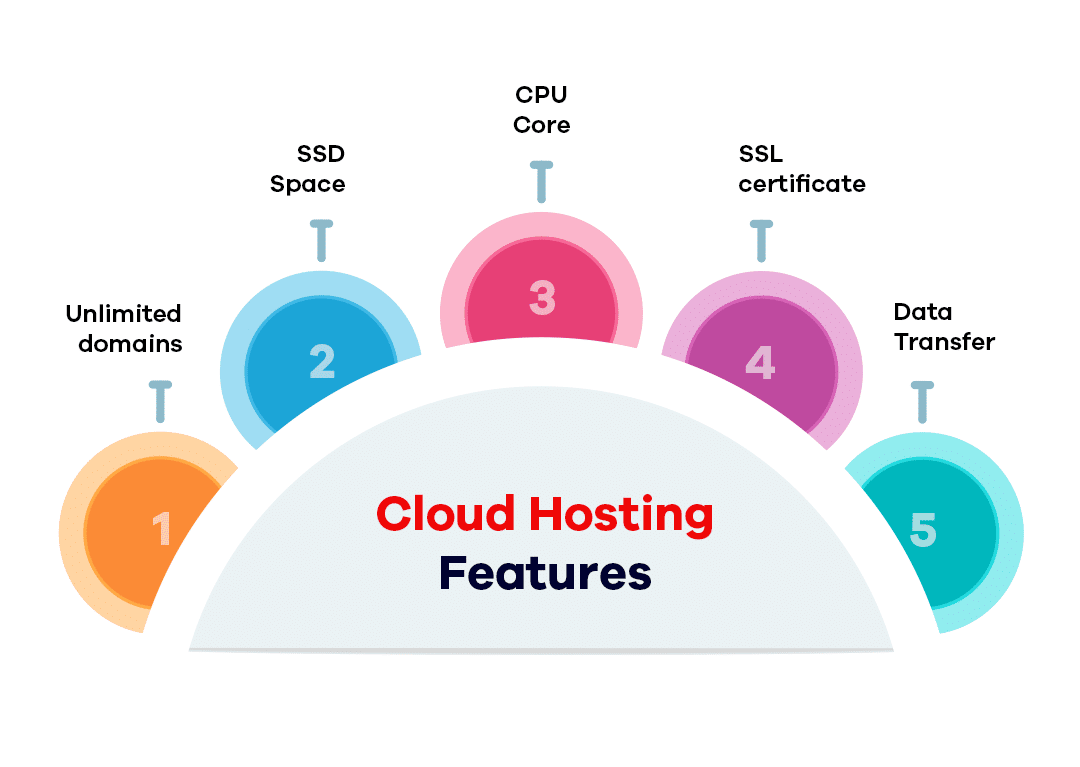
What it is:
Cloud hosting uses multiple interconnected servers to host your website, allowing for better scalability and uptime.
Pros:
- Highly scalable (you can easily add or reduce resources as needed)
- Reliable and can handle large traffic spikes
- Pay-as-you-go pricing model
Cons:
- Can be more expensive depending on resource usage
- Less control over the physical server
Best For: Growing businesses, e-commerce websites, or anyone who expects fluctuating traffic levels.
Managed WordPress Hosting
What it is:
Managed WordPress hosting is optimized specifically for WordPress sites. The hosting provider takes care of technical tasks like updates, backups, and security.
Pros:
- Optimized for WordPress performance
- Automatic updates and backups
- Enhanced security and dedicated WordPress support
Cons:
- Higher cost than basic shared hosting
- Limited to WordPress websites
Best For: WordPress users who want to focus on content rather than server management.
3. Factors to Consider When Choosing a Hosting Plan
Website Type and Purpose
The type of website you are creating will significantly influence your hosting needs. A personal blog or portfolio may not need as much power as an e-commerce store or a high-traffic news site. Be clear about the purpose of your site before selecting a hosting plan.
Traffic Volume
Estimate how much traffic you expect your website to receive. If your website gets hundreds of visitors daily, you’ll need a more powerful plan (VPS or dedicated hosting). If your site is new and traffic is expected to be low, shared hosting may suffice.
Performance and Speed
Website speed is critical to user experience and SEO. Look for hosting providers that offer fast servers, SSD storage, and content delivery networks (CDNs) to improve performance.
Security Features
Ensure the hosting provider offers robust security features such as SSL certificates, firewalls, DDoS protection, and malware scanning. For e-commerce sites, strong security is even more critical to protect customer data.
Customer Support
Good customer support can save you from technical issues and downtime. Look for hosts that offer 24/7 support via multiple channels (live chat, email, phone).
Cost vs. Value
While it might be tempting to go with the cheapest option, consider the overall value. Higher-tier plans often come with more resources, better performance, and additional features that could save you time and frustration in the long run.
4. Top Web Hosting Providers
Here are some well-known web hosting providers to consider, based on various needs:
- Bluehost: Great for beginners and WordPress users.
- SiteGround: Excellent for performance and support, ideal for WordPress.
- HostGator: Affordable plans with solid features for shared and VPS hosting.
- A2 Hosting: Known for fast speeds and developer-friendly features.
- Kinsta: Premium managed WordPress hosting with superior performance.
- DigitalOcean: Cloud hosting that offers scalable and cost-effective solutions.
5. How to Choose the Best Web Hosting Plan for You
To find the best web hosting plan, follow these steps:
- Assess Your Needs: What is your website’s goal? What is your expected traffic? What is your budget?
- Research Providers: Compare hosting companies, read customer reviews, and look for uptime guarantees.
- Check Features: Look at features like storage, bandwidth, SSL, backup options, and support.
- Start Small: If you’re unsure, start with a basic plan (like shared hosting) and upgrade as needed.
- Consider Scalability: Choose a host that offers easy upgrades as your site grows.
