Manage MySQL Users
Manage MySQL – MySQL is one of the most popular relational database management systems (RDBMS) used for managing and organizing data. One of the key features of MySQL is its user management system, which allows administrators to create and manage users with different access privileges. By effectively managing MySQL users, you can enhance database security, ensure proper access control, and improve collaboration among team members.
In this blog, we will walk you through how to create and manage MySQL users, including assigning specific privileges to users and managing access levels. Whether you’re a developer or a database administrator, understanding MySQL user management is crucial for maintaining a secure and efficient database environment.
Prerequisites
Before proceeding with creating and managing MySQL users, ensure that:
- You have MySQL installed on your system.
- You have root or administrative access to your MySQL server.
- You are familiar with basic SQL commands and MySQL concepts.
Manage MySQL
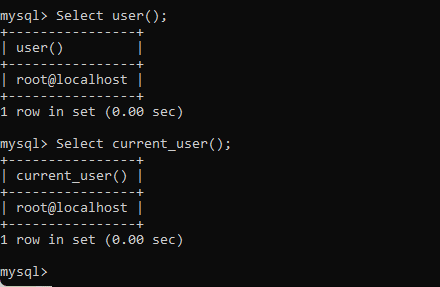
Step 1: Log in to MySQL
To begin, you need to log in to your MySQL server. You can do this by running the following command in your terminal or command prompt:
This command prompts you to enter the root password. After entering the correct password, you will be logged into the MySQL command line interface (CLI), where you can begin creating and managing users.
Step 2: Creating a New MySQL User
To create a new MySQL user, you will need to use the CREATE USER statement. The syntax for creating a user is as follows:
Explanation:
'username': The name of the user you want to create.'host': The host from which the user will connect (you can use%for any host or specify an IP address).'password': The password for the new user.
Example:
Let’s say you want to create a new user called john who can connect from any host (%) with the password john_password. The SQL query will look like this:
Step 3: Granting Privileges to the User
Once the user is created, the next step is to assign privileges. In MySQL, privileges control what actions a user can perform on a specific database. To grant privileges, use the GRANT statement.
The syntax for granting privileges is as follows:
Explanation:
privilege_type: The type of privilege to be granted (e.g.,SELECT,INSERT,UPDATE,DELETE,ALL PRIVILEGES).database_name.*: The database and tables to which the privileges apply. Use*for all databases.'username'@'host': The user to whom the privileges are being granted.
Example:
To grant the SELECT privilege on the employees database to the user john, use the following command:
If you want to grant all privileges on all databases to the user john, use the following command:
Note:
To apply the changes made by the GRANT statement, you need to run the FLUSH PRIVILEGES command:
Step 4: Viewing MySQL User Privileges
To view the privileges granted to a specific user, you can use the SHOW GRANTS statement:
For example, to view the privileges of the user john, run:
This will display a list of privileges granted to the user.
Step 5: Modifying User Privileges
If you need to modify the privileges of an existing user, you can use the GRANT statement again to add or remove specific privileges. To revoke a privilege, use the REVOKE statement.
Revoking Privileges:
To revoke a specific privilege from a user, use the following syntax:
For example, to revoke the SELECT privilege from the user john on the employees database, use:
After revoking privileges, remember to run:
Step 6: Changing a User’s Password
If you need to change a user’s password, use the ALTER USER statement:
For example, to change the password for john to new_password, use:
Don’t forget to flush privileges if needed:
Step 7: Deleting a MySQL User
If you no longer need a MySQL user, you can delete the user using the DROP USER statement:
For example, to delete the user john, use:
After deleting the user, the user will no longer have access to the MySQL server.
Best Practices for Managing MySQL Users
- Use Strong Passwords: Always enforce strong password policies for MySQL users to prevent unauthorized access.
- Grant Minimum Privileges: Follow the principle of least privilege. Grant only the necessary privileges required for the user to perform their tasks.
- Regularly Review User Privileges: Periodically review and update user privileges to ensure that users only have the access they need.
- Backup Before Changes: Always take a backup before making significant changes to user access or privileges.
Conclusion
Managing MySQL users effectively is crucial for maintaining a secure and well-organized database environment. By following the steps outlined in this guide, you can create, modify, and delete MySQL users while assigning appropriate privileges to each user. Remember to always follow best practices for security and access control to ensure the integrity of your MySQL databases.
By mastering user management, you’ll have better control over your MySQL databases, allowing for smoother collaboration and safer access to sensitive data.
