IMAP vs POP3: Choosing the Right Email Protocol for Your Needs
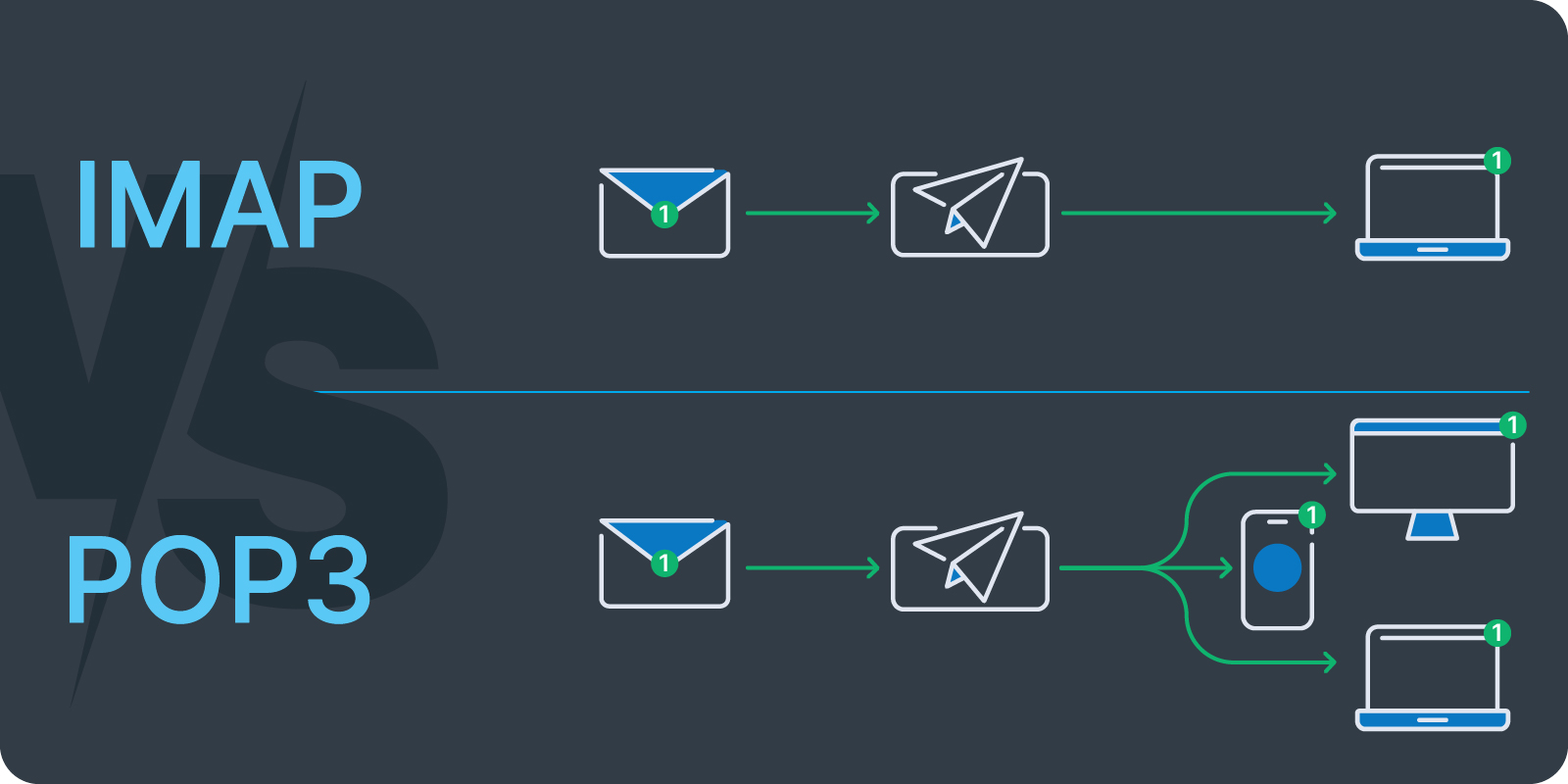
IMAP vs POP3 – When it comes to managing emails, two of the most commonly used protocols are IMAP (Internet Message Access Protocol) and POP3 (Post Office Protocol 3). While both protocols serve the same basic purpose—retrieving emails from your email server—they do so in very different ways. Understanding the key differences between IMAP and POP3 can help you choose the right protocol for your needs, whether you’re managing personal email accounts or running a business.
What is IMAP?
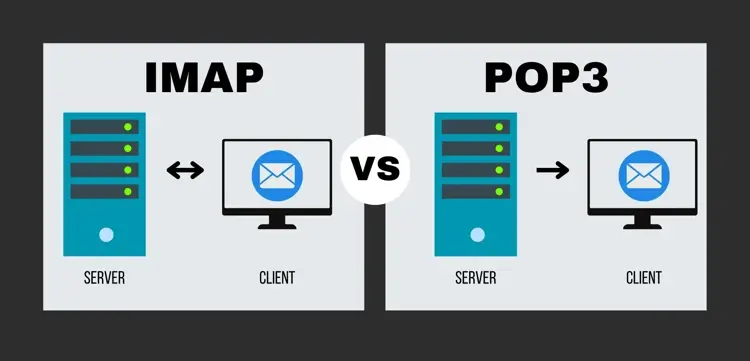
IMAP, or Internet Message Access Protocol, is a protocol used by email clients to retrieve messages from a mail server. The distinguishing feature of IMAP is that it allows you to sync your emails across multiple devices. Whether you’re checking your email on your computer, phone, or tablet, IMAP keeps everything synchronized. Emails are stored on the server and you can access them from anywhere, without worrying about downloading or deleting them from individual devices.
Key Features of IMAP:
- Server-Based Storage: Emails are stored on the mail server rather than being downloaded to the device.
- Multiple Device Sync: Emails are synchronized across all devices, meaning changes (like reading or deleting messages) are reflected everywhere.
- Partial Downloading: Only the message headers are downloaded initially, with the full content loaded only when needed.
- Better for Managing Folders: IMAP allows you to create and organize folders, and the folder structure is synced across all devices.
Ideal Use Cases for IMAP:
- Accessing Email from Multiple Devices: IMAP is perfect for users who check their emails from multiple devices (smartphone, laptop, desktop) because all your devices will show the same email status (read, unread, deleted, etc.).
- Remote Access: If you need to access your emails from different locations or need to have a backup of your emails stored in the cloud, IMAP is the ideal solution.
- Long-Term Email Storage: Since emails are stored on the server, IMAP is useful if you want to keep your emails archived and easily accessible from anywhere.
What is POP3?
POP3, or Post Office Protocol 3, is another email retrieval protocol, but it works quite differently from IMAP. POP3 is designed for downloading emails from the server to your device and removing them from the server in the process. This means that once emails are downloaded via POP3, they are no longer stored on the server. POP3 is best for users who want to download their emails and store them locally on a single device.
Key Features of POP3:
- Server-Side Deletion: Once emails are downloaded, they are deleted from the mail server (though many modern email clients offer an option to leave copies on the server).
- Single Device Use: POP3 is typically best for users who access their email from just one device.
- Offline Access: Since emails are downloaded to the device, they can be accessed even without an internet connection.
Ideal Use Cases for POP3:
- Limited Device Access: If you primarily access your email from one device (e.g., a desktop or laptop), POP3 can be a simple, efficient choice.
- Saving Server Space: POP3 may be useful if you’re trying to free up space on your email server by downloading and removing emails.
- Offline Use: If you often work in areas with limited or no internet access, POP3 allows you to download your emails and read or respond to them offline.
IMAP vs POP3: Key Differences
| Feature | IMAP | POP3 |
|---|---|---|
| Email Storage | Emails are stored on the server. | Emails are downloaded and stored locally. |
| Device Synchronization | Syncs across multiple devices. | Does not sync; typically works on a single device. |
| Access Method | Requires an internet connection to access emails. | Can be used offline once emails are downloaded. |
| Email Deletion | Deleting an email on one device deletes it from the server and all devices. | Emails are deleted from the server once downloaded, unless configured to leave a copy. |
| Folder Support | Supports folder synchronization across devices. | Does not support folder synchronization. |
| Storage Efficiency | Emails remain on the server, consuming space. | Emails are removed from the server after downloading. |
| Best for | Multiple devices, cloud-based storage, email management. | Single device use, offline access, saving server space. |
Which Should You Choose?
The choice between IMAP and POP3 ultimately depends on how you access and manage your email. Here are some factors to consider:
- Choose IMAP if:
- You need access to your email from multiple devices or locations.
- You prefer having your emails synced across devices for a consistent experience.
- You want to keep your emails stored on the server for backup purposes.
- You need to manage your emails in organized folders that sync across devices.
- Choose POP3 if:
- You mainly access your email from a single device.
- You want to download emails to your device for offline use.
- You have limited server storage and prefer to store emails locally.
- You don’t need to sync your emails between devices.
Conclusion
Both IMAP and POP3 have their advantages, depending on your specific email needs. If you need flexibility, cloud-based storage, and multi-device support, IMAP is the better choice. On the other hand, if you prefer offline access and storing emails locally on your device, POP3 may be the way to go. Understanding how each protocol works and assessing how you interact with your email will help you make the best decision for your personal or business needs.
By selecting the right protocol, you can streamline your email management, ensuring that it aligns with your workflow and preferences.
