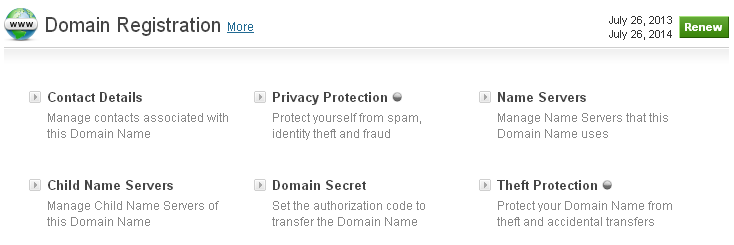
Understanding Child Nameservers: A Comprehensive Guide
Child Nameservers -When managing domain names and web hosting, you might come across the term “child nameservers.” While it may sound technical, understanding it is crucial for anyone looking to maintain control over their domain’s DNS settings.
This guide will walk you through what it is, how they work, and why they matter.
What Are Child Nameservers?
Child nameservers are a set of DNS nameservers that you can configure for your domain. They are typically used in conjunction with a parent domain to delegate DNS responsibilities to a specific set of nameservers. Essentially, they help in managing DNS queries more effectively by allowing domain owners to specify their own nameservers for subdomains.
How Does it Work?
- Parent-Child Relationship:
- A parent nameserver is the main DNS server that holds the authoritative records for the parent domain. They are essentially subnameservers for a domain that’s managed by the parent nameserver.
- Delegation of DNS:
- When you set up, you are delegating the responsibility of handling DNS queries for certain subdomains to these nameservers. This can be useful if you want to use custom nameservers for different parts of your domain or for different services.
- Configuration:
- To set up this, you need to configure DNS records at your domain registrar. You create A records for the them pointing to the IP addresses of your DNS servers.
Setting Up Child Nameservers: A Step-by-Step Guide
![How to Change DNS Servers in 2024 [Get a New DNS Address]](https://www.cloudwards.net/wp-content/uploads/2022/11/how-to-change-DNS-servers.png)
- Choose Your DNS Server:
- Ensure you have a DNS server or service capable of managing it. This could be a third-party DNS provider or your own DNS infrastructure.
- Create Child Nameserver Records:
- Log in to your domain registrar’s control panel.
- Find the DNS management section.
- Add A records for your child nameservers. For example, if you want to set up
ns1.example.comandns2.example.com, you would add A records pointing to their respective IP addresses.
- Configure Glue Records (if necessary):
- In some cases, you might need to set up glue records to ensure proper DNS resolution. Glue records are special DNS records that provide the IP addresses of the child nameservers.
- Update Domain Nameserver Settings:
- Once those are set up, you need to configure your domain to use these nameservers. Go to the DNS settings of your domain and specify your child nameservers as the authoritative nameservers.
- Verify Configuration:
- Use tools like
digor online DNS checkers to verify that your child nameservers are correctly set up and resolving queries as expected.
- Use tools like
Benefits of Using Child Nameservers
- Branding:
- Custom child nameservers (e.g.,
ns1.yourcompany.com) can enhance your brand’s credibility and professionalism compared to generic nameservers.
- Custom child nameservers (e.g.,
- Segregation:
- Allows you to delegate DNS management for different subdomains or services, providing better organization and control.
- Redundancy:
- By using multiple child nameservers, you can improve DNS redundancy and reliability, ensuring that your domain remains accessible even if one server fails.
- Flexibility:
- Provides the flexibility to manage DNS settings more granularly, especially in complex hosting environments or when managing multiple clients.
Common Pitfalls to Avoid
- Incorrect IP Addresses:
- Ensure that the IP addresses for your child nameservers are correct. Incorrect IPs can lead to DNS resolution issues.
- Propagation Delays:
- DNS changes, including those for child nameservers, may take some time to propagate. Be patient and check for changes after a few hours.
- Configuration Errors:
- Double-check your DNS and glue record configurations to avoid errors that could lead to downtime or DNS resolution issues.
Conclusion
It offer a powerful way to manage and delegate DNS responsibilities, providing benefits such as improved branding, organization, and redundancy. By understanding how they work and following best practices for their setup, you can ensure a robust and reliable DNS infrastructure for your domain. Whether you’re managing a single domain or multiple clients, mastering it is a key skill in effective DNS management.
