
Transfer Hosting – Transferring hosting from one provider to another involves migrating your website, databases, and other related files from the old hosting provider to the new one.
Transfer Hosting – Below are general steps to guide you through the process:
1. Back Up Your Website:
- Files:
- Use FTP or a file manager in your hosting control panel to download all website files from the old server to your local machine.
- Ensure you include all directories, subdirectories, and hidden files.
- Database:
- Export your database using tools like phpMyAdmin or command-line utilities.
- Save the exported SQL file locally.
2. Set Up New Hosting Account:
- Purchase New Hosting:
- Acquire a hosting plan from the new hosting provider.
- Set Up Domain:
- If you’re transferring a domain, update DNS settings to point to the new hosting provider. This is typically done through your domain registrar’s control panel.
- Configure Server Environment:
- Set up server configurations (e.g., PHP version, MySQL/MariaDB) on the new hosting provider to match the requirements of your website.
3. Upload Files to New Hosting Provider:
- Upload Website Files:
- Use FTP or a file manager to upload the website files to the corresponding directories on the new hosting provider.
- Configure Directory Permissions:
- Adjust file and directory permissions as needed on the new hosting provider.
4. Import Database to New Hosting Provider:
- Create Database:
- Create a new database on the new hosting provider through their control panel.
- Import Data:
- Import the previously exported SQL file into the new database, either through the hosting provider’s control panel, phpMyAdmin, or command-line tools.
- Update Configuration Files:
- Modify configuration files (e.g., wp-config.php for WordPress) to reflect the new database credentials.
5. Update Domain Configuration:
- Update Domain Configuration with Domain Registrar:
- If you’re transferring a domain, update the domain’s DNS settings with your domain registrar to point to the new hosting provider.
- Check SSL Certificates:
- If you use SSL certificates, ensure they are configured and updated for the new hosting provider.

- If you use SSL certificates, ensure they are configured and updated for the new hosting provider.
6. Testing:
- Verify Website Functionality:
- Access your website on the new hosting provider to ensure that it’s functioning correctly.
- Test Contact Forms and Functionality:
- If your website has contact forms or other interactive features, test them to ensure proper functionality.
7. Monitor for DNS Propagation:
- Wait for DNS Propagation:
- DNS changes may take time to propagate. Monitor your website on both the old and new hosting providers until you are confident that the transition is complete.
8. Final Checks:
- Email Configuration:
- If your website uses email services, verify that email configurations are updated on the new hosting provider.
- Cancel Old Hosting Plan:
- Once you’re certain that the migration is successful, you can cancel your hosting plan with the old provider.
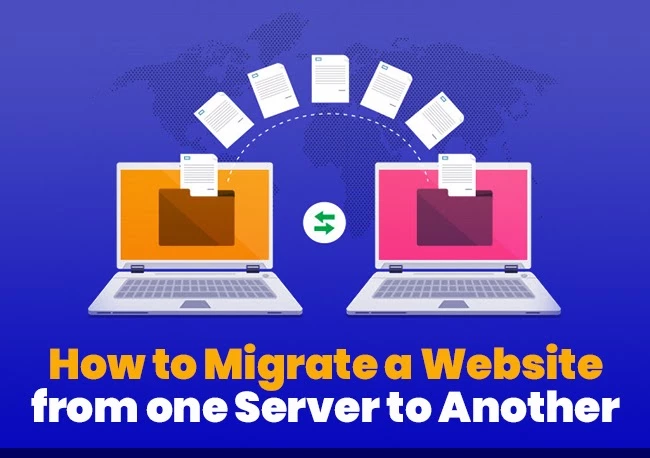
Transfer Hosting
- Once you’re certain that the migration is successful, you can cancel your hosting plan with the old provider.
Transfer Hosting – Additional Tips:
- Backup Everything:
- Always back up your data before making any changes to avoid data loss.
- Consider Downtime:
- Plan your migration during a low-traffic period if possible to minimize downtime.
- Check Application-Specific Steps:
- Some applications, like WordPress, may have additional steps specific to their migration process.
- Contact Support:
- If you face challenges or need assistance, don’t hesitate to contact the support teams of both your old and new hosting providers.
Transfer Hosting – Choose a new hosting provider
Before you start with anything technical, you first need to choose a new web hosting provider. This is one of the most important factors you’ll need to consider when migrating your web hosting, as you’ll want to find a good host to transfer your site to. Below are some of the factors you should keep in mind:
- Cost: Look at both the initial and long-term costs associated with your contract and find out whether the hosting provider offers a scalable plan that can fit within your budget.
- Reliable performance: Make sure the hosting provider guarantees high uptime and performance.
- Security: Your web host should have a variety of security protocols to keep your website and data safe, such as SSL certificates.
- Tools-galore: Ensure that your web host supports numerous platforms, whether you use a content management system like WordPress, or you’ve coded the website from scratch. Another tool to look out for is a plugin that allows for easy integration.
- Extra features: Look out for any juicy features that a particular web hosting provider may be offering, such as 24/7 customer support, free website transfers and promotional offers.
- User experience: Keep in mind the user experience when looking at your web host, for example, we have a Control Panel that allows you to manage all your services from one place.
After you’ve chosen your new website, ask them to perform a direct website transfer for you if this service is available. If not, you’ll need to conduct a manual website transfer, which we’ve outlined below.
Please note that the specifics of each step can vary depending on your hosting environment and the applications you are using. If you’re not comfortable with the migration process, consider seeking assistance from your hosting providers or a professional web developer.
