
How to Protect Your Website with cPanel: 7 Essential Tips
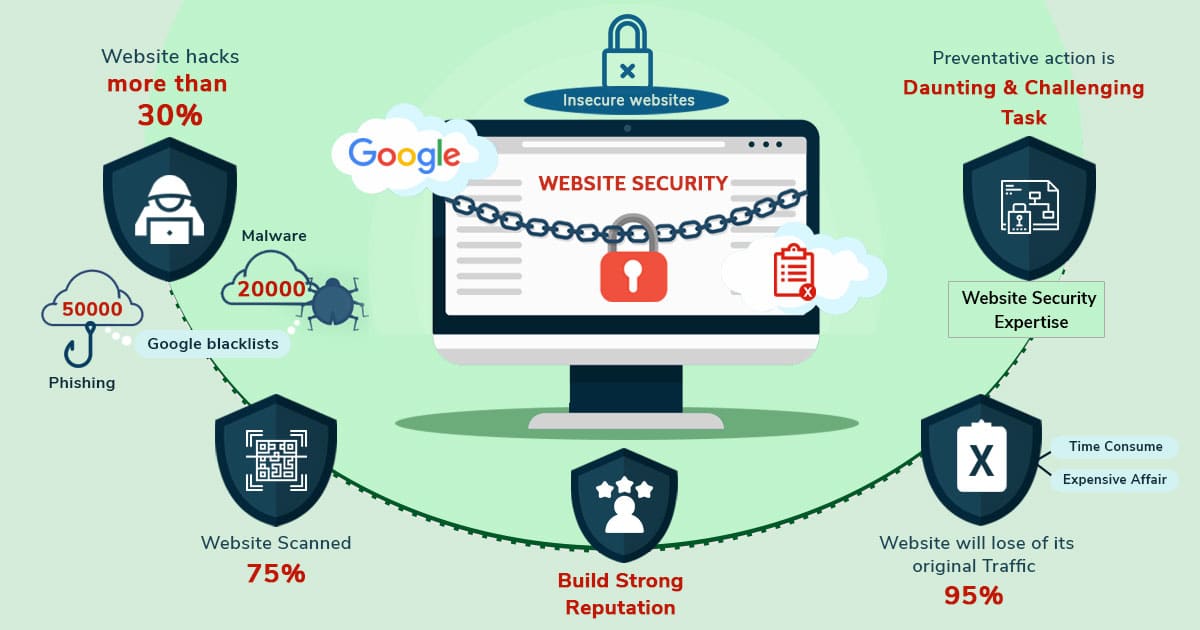
In today’s digital landscape, website security is more important than ever. With cyber threats constantly evolving, taking proactive steps to protect your site is crucial. If you’re using cPanel for your web hosting, you have access to a variety of tools that can help bolster your website’s security. Here are seven essential tips to help you secure your website using cPanel.

With cyber threats lurking around every corner, protecting your online presence should be a top priority. cPanel, a popular web hosting control panel, offers a wide array of tools and features designed to enhance your website’s security. Whether you’re a seasoned web administrator or a newcomer, understanding how to leverage cPanel effectively can safeguard your site from potential threats. In this guide, we’ll explore essential strategies to help you protect your website using cPanel, ensuring a safer and more secure online experience for you and your visitors.
1. Keep Software Updated
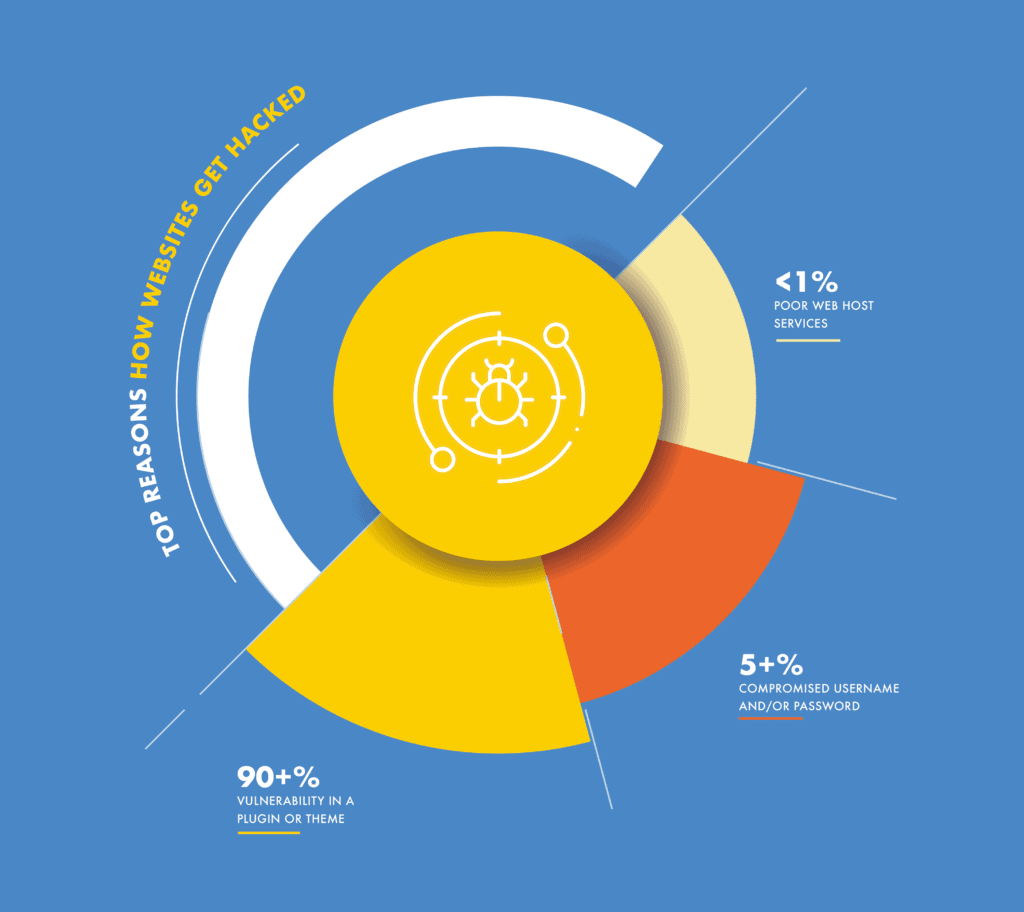
One of the simplest yet most effective ways to protect your website is by keeping all software up to date. This includes your CMS (like WordPress, Joomla, or Drupal), themes, and plugins. Outdated software can have vulnerabilities that hackers can exploit. Regularly check for updates in your cPanel and install them as soon as they are available.
2. Use Strong Passwords
Weak passwords are an open invitation for attackers. Always create strong, unique passwords for your cPanel account, FTP accounts, and database. A good password should be at least 12 characters long and include a mix of letters, numbers, and special characters. You can also use a password manager to help generate and store strong passwords securely.
3. Enable Two-Factor Authentication (2FA)
Adding an extra layer of security can significantly reduce the risk of unauthorized access. Enable two-factor authentication (2FA) for your cPanel account if your hosting provider offers this feature. With 2FA, even if someone has your password, they would still need a second form of verification to access your account.
4. Limit Access to Your cPanel Account
Restricting access to your cPanel account is another effective security measure. Only provide cPanel access to users who absolutely need it, and consider creating separate FTP accounts with limited permissions for those who require them. You can also use IP address restrictions to limit access to your cPanel from specific locations.
5. Regular Backups
Regular backups are essential for recovery in case of data loss or a security breach. Use the backup tools available in cPanel to create full backups of your website and databases. Schedule automatic backups to ensure your data is always up to date. Store these backups in a secure location, preferably off-site.
6. Install an SSL Certificate
An SSL (Secure Socket Layer) certificate encrypts the data exchanged between your website and its visitors, enhancing security. Most cPanel installations offer easy ways to install SSL certificates. Having an SSL certificate not only protects user data but also boosts your site’s credibility and improves SEO rankings.
7. Monitor Website Activity
Regularly monitoring your website for unusual activity can help you catch potential security issues early. Use the logs available in cPanel to track access attempts, file changes, and other critical events. You can also set up security plugins or services that provide real-time monitoring and alerts for suspicious activity.
Conclusion
Securing your website is an ongoing process, but using cPanel’s robust features can simplify the task significantly. By implementing these seven essential tips, you can enhance your website’s security, protect your data, and provide a safer experience for your visitors. Remember, prevention is always better than cure—taking these proactive steps today can save you from potential headaches tomorrow.
